Free PDF editor for Windows
Change the words that are already in your PDF.
You know the trick most free PDF tools pull: they let you cover the old text with a white box and type over the top. Emifyn doesn’t do that. It opens the paragraph you clicked on, uses the font your document is already using, and puts the new words where the old ones were.
Editing · Charter 11 pt · embedded
The Board approved the revised schedule at its meeting on 14 March, subject to the qualific
Appendix B was circulated separately and is reproduced here in the form supplied by the contractor. ↑ can’t be edited — this font doesn’t say which letter each shape is
Why hardly anything free does this
A PDF isn’t really a document. It’s a set of printing instructions.
Open one up and there are no paragraphs inside. No words, and quite often not even spaces. What’s in there is a list of directions for a printer: put this shape here, that one there, this far apart. Nothing in the file says those shapes spell a word, or that the word belongs to a sentence, or where the sentence ends.
So to let you edit a paragraph, a program has to work all of that back out, let you change it, then write fresh instructions that sit convincingly next to everything around them. It’s finicky work, and it’s why the tools that manage it tend to want a monthly fee.
There’s a second snag underneath. A PDF usually carries only the slivers of a font it actually used. If your document never needed a capital Q, the shape for Q simply isn’t in the file.
How Emifyn handles that
- It uses the font that’s already in your document, rather than something that looks roughly similar.
- It checks a letter really exists before using it. Fonts inside PDFs will happily claim thousands of characters and turn out to carry a few dozen.
- If a letter you’ve typed isn’t in there, it borrows one from the same font on your PC. Failing that it finds the closest match it can, and tells you so before you commit to anything.
- Your edited words stay selectable and searchable. Skip that bit and you get a file that looks perfect on screen and copies out as nonsense.
And when it can’t, it tells you
Some paragraphs can’t be edited without making a mess of them. The font might not record which letter each shape stands for, or the text might be drawn in pieces that don’t line up. When Emifyn runs into one of those it says so in plain English instead of quietly mangling your document. Press Ctrl B and it draws a box round every paragraph on the page, red where it would have to say no.
I’d far rather it refused than ruined something you needed.
The program
The rest of it works the way you’d hope.
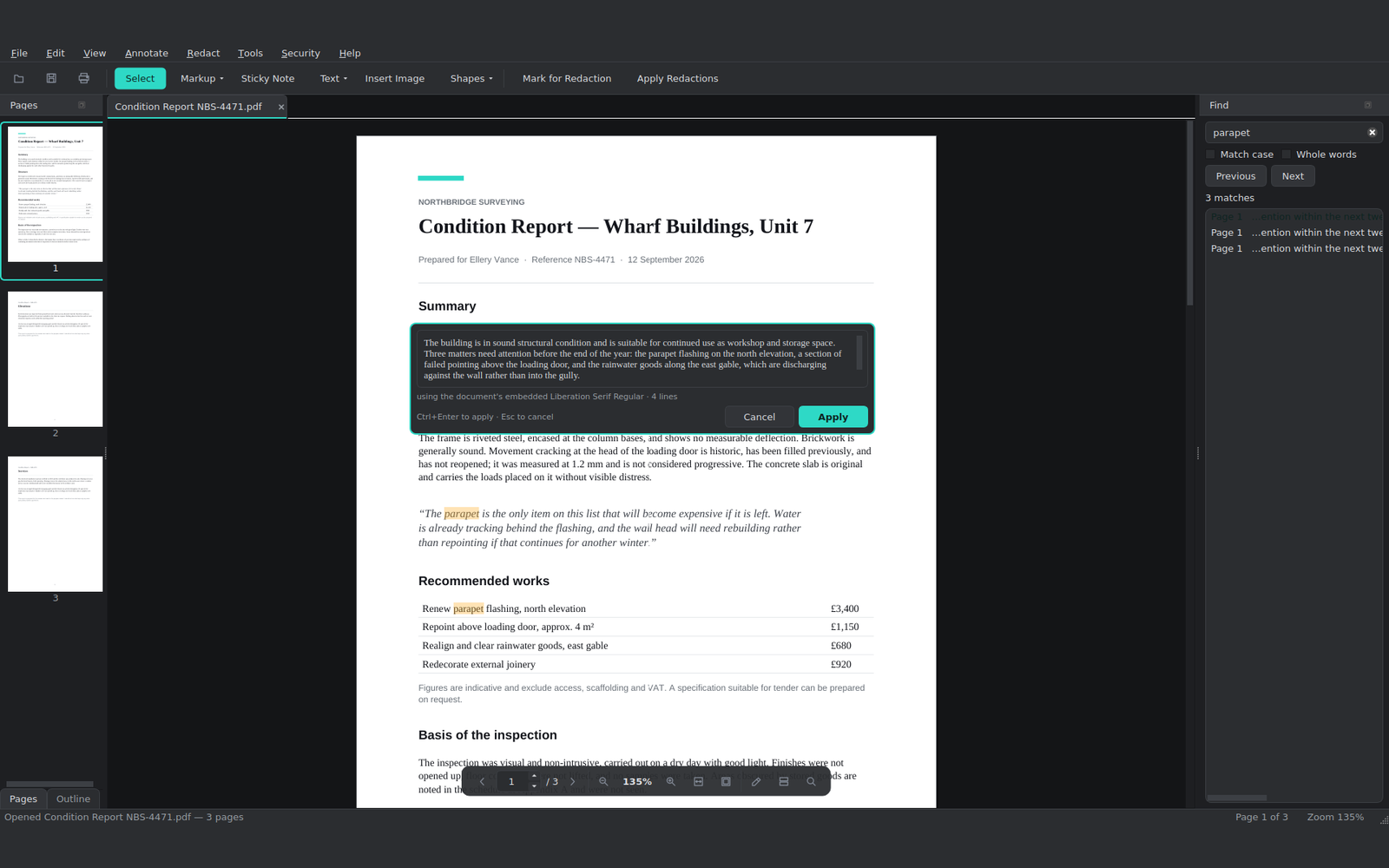
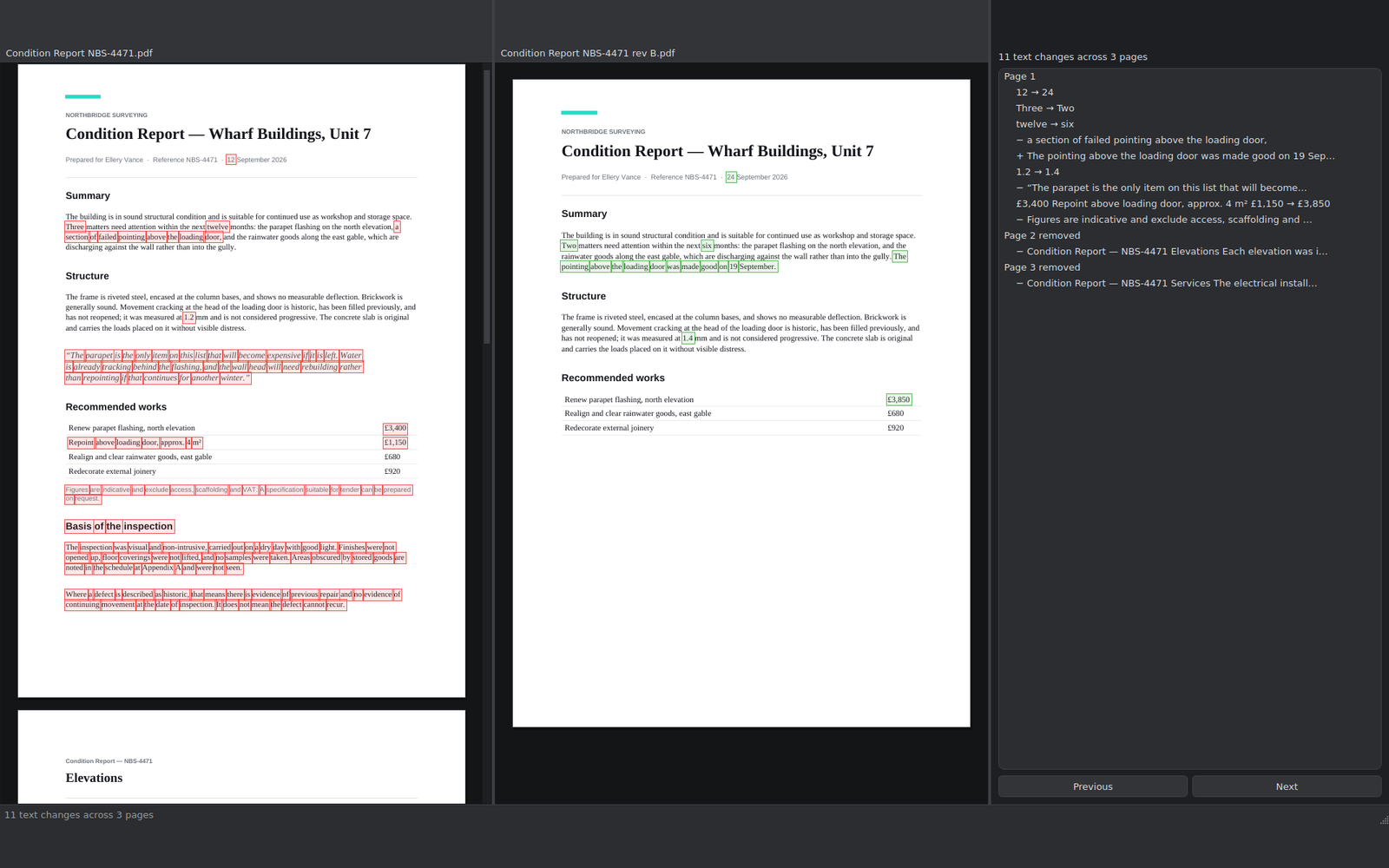
Several files open at once in tabs, thumbnails down the side, printing, a dark theme and a light one. The undo button reaches back through everything you’ve done, whether that’s a word you retyped or a page you deleted ten minutes ago.
What’s in it
Built in an awkward order, with the hard part first.
Everything else you’d want from a free PDF editor is in here too — pages, markup, passwords, compression. Those came after the difficult bit, not before it.
Edit words on the page
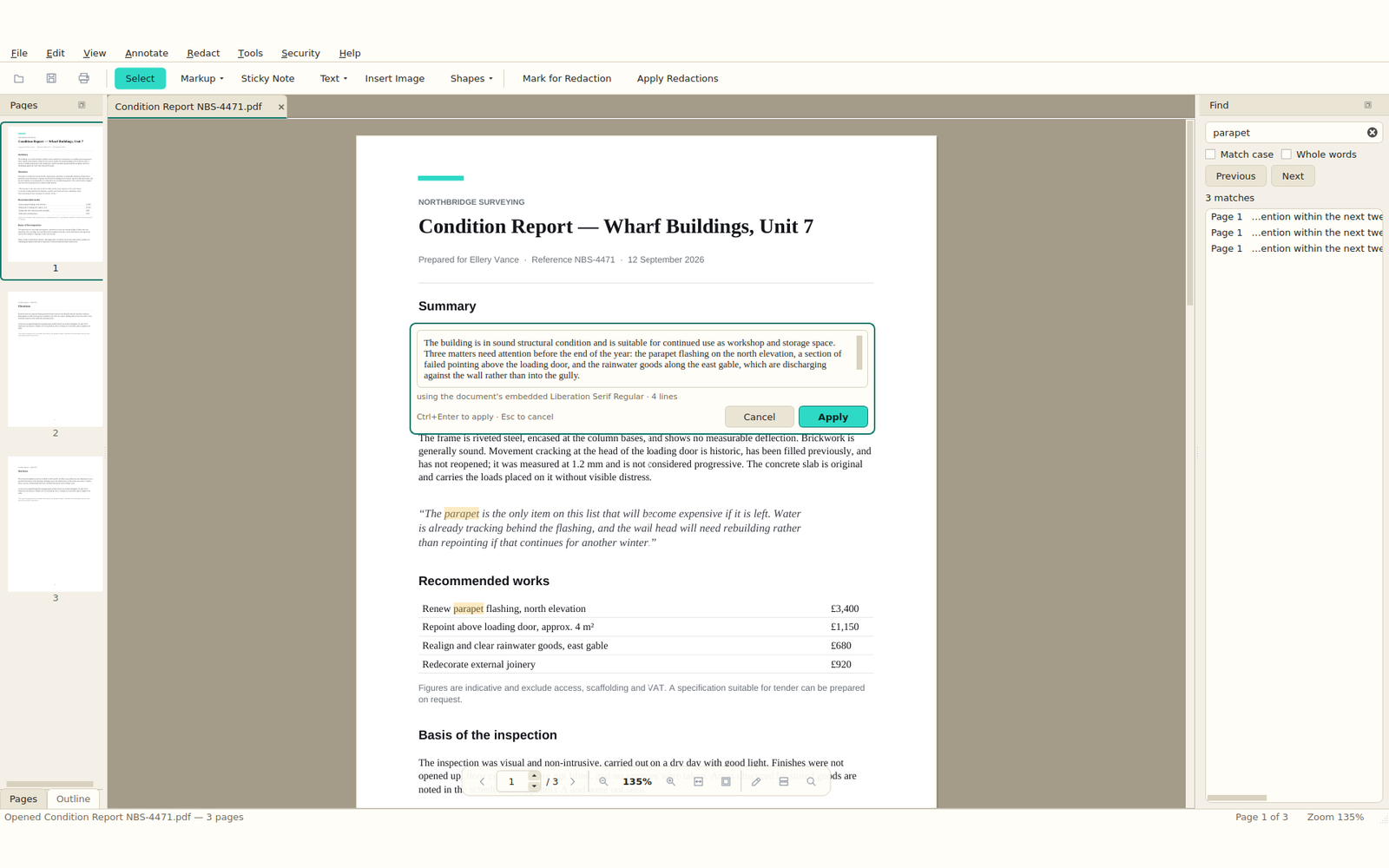
Double-click a paragraph, or press F2. It shows you which font it’s about to use, and warns you if your text won’t fit, before anything is committed.
Shuffle and stitch
Rotate, delete, duplicate, reorder, crop. Add blank pages or pages from another file. Merge things together, split them apart, pull pages out.
Mark it up
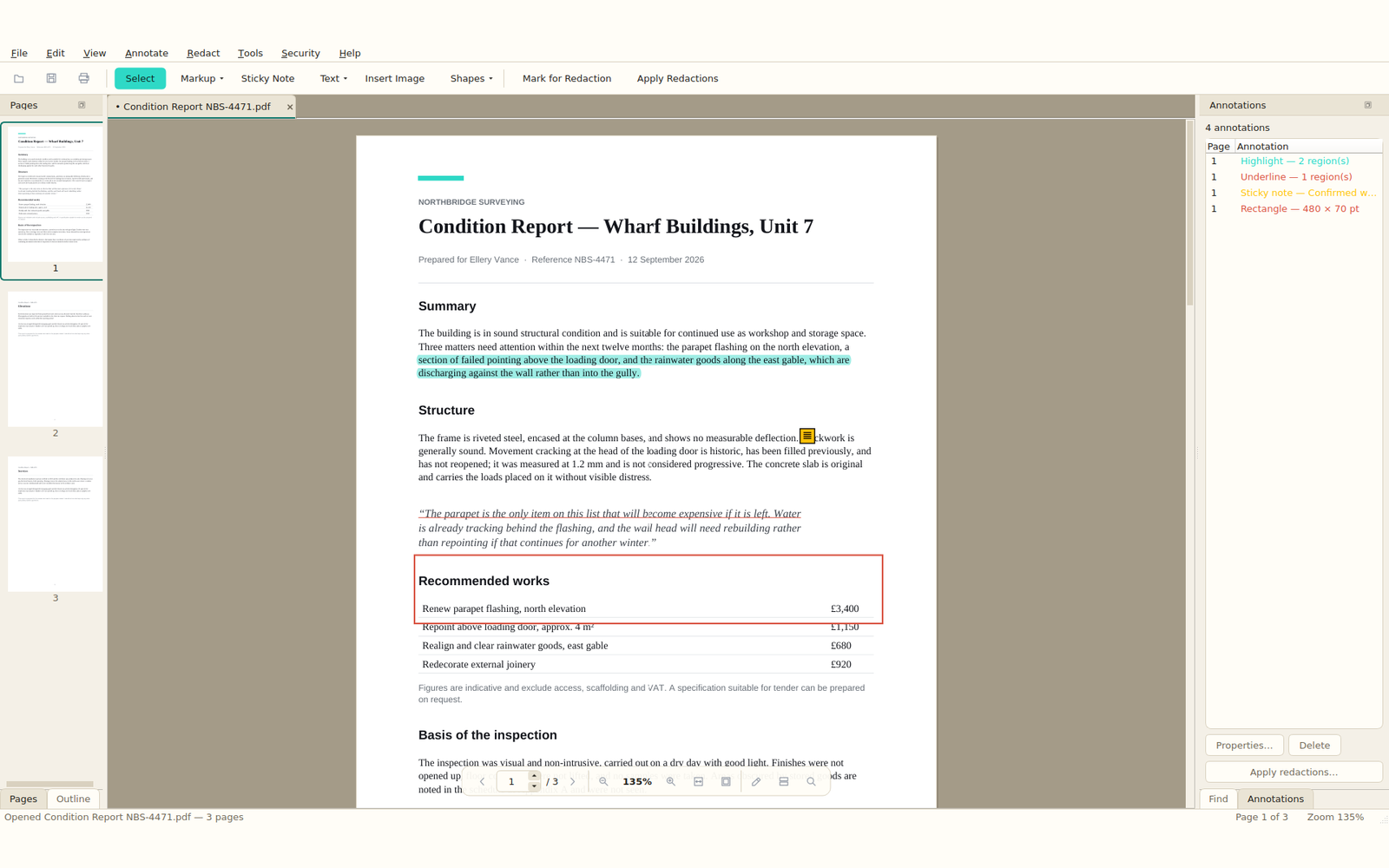
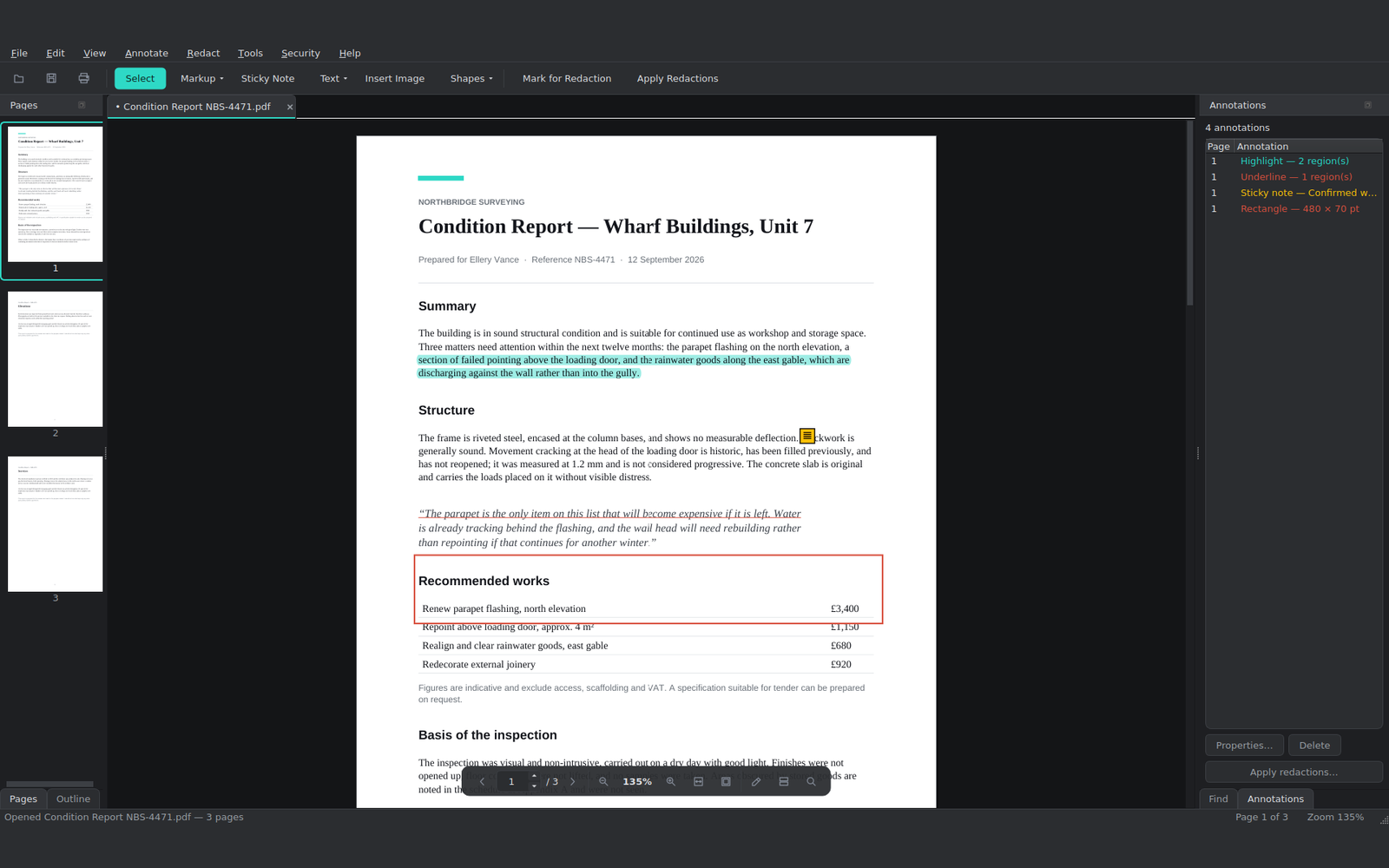
Twelve kinds of mark, from highlights to arrows to sticky notes. Move them, resize them and restyle them long after you’ve put them down.
Actually remove things
Marking and applying are two separate steps, and applying deletes the words instead of drawing a black box over them. There’s a difference, and it matters.
Lock and unlock
Put a password on a file, or take the restrictions off one you’re allowed to. It tells you exactly what it’s removing and why it’s able to.
Make files smaller
It shows you what’s making the file big, then quietly builds all three options, so the size next to each one is the real size rather than a guess.
Spot what changed
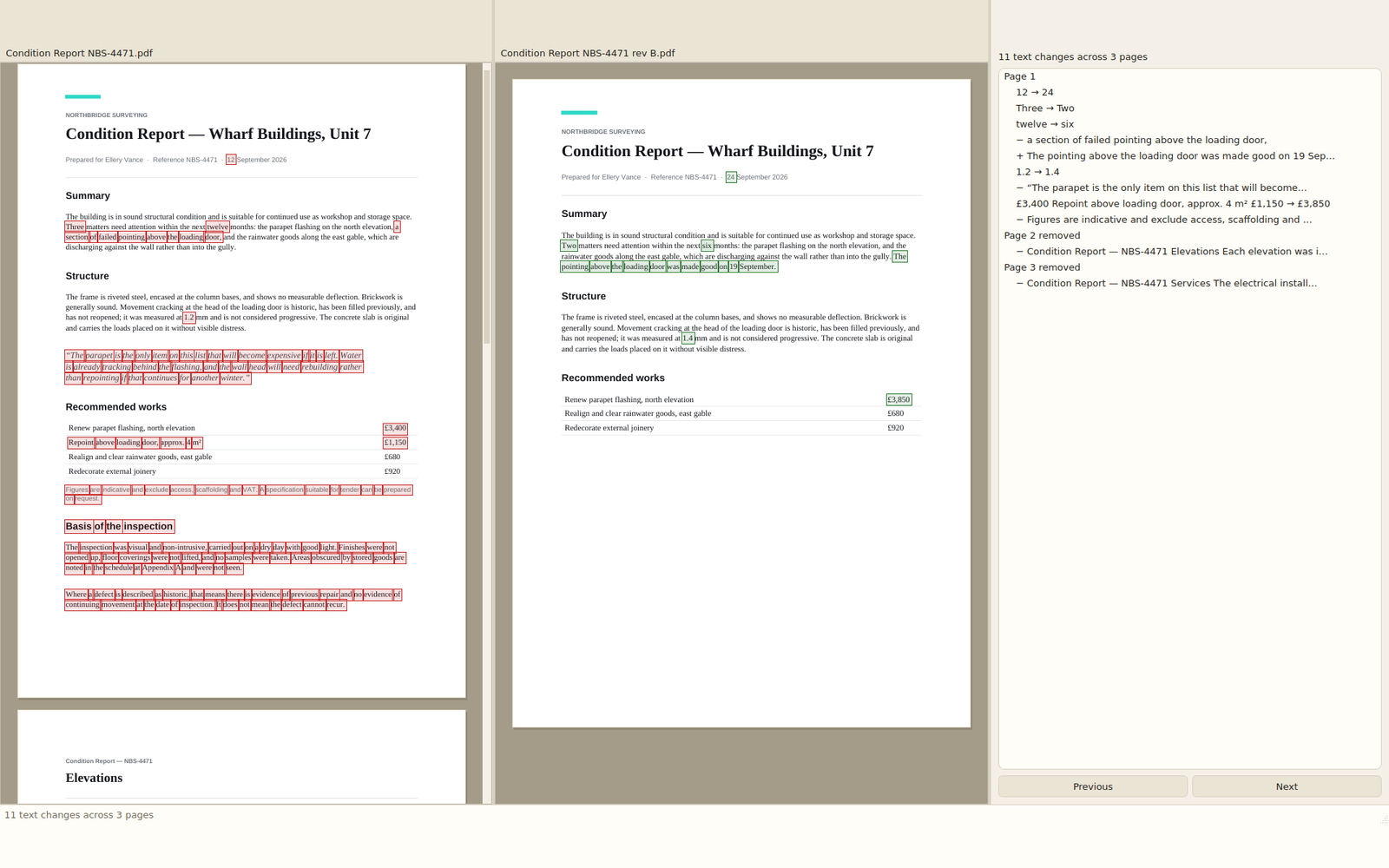
Two versions side by side, scrolling together, with the differences boxed on both sides and a list you can click through.
Watermarks and numbering
Watermarks, headers, footers, page numbers, Bates numbering. All of it goes on as real text, so it stays searchable.
Questions
Things people ask before downloading.
Is it actually free, or free-ish?
Actually free. There’s no paid version, no trial that expires, no feature switched off until you pay, and no account to create. It’s open source under the AGPL, and the free one is the only one there is.
Can I really edit the text in a PDF for free?
Yes, and it’s the reason Emifyn exists. Most free PDF editors only let you drop a text box on top of the old text. Emifyn changes the words that are already there, using the font your document is already using, and puts them back in the same place. How to edit the text in a PDF.
Do I need Adobe Acrobat?
No. Emifyn doesn’t need Acrobat, Acrobat Reader, a Creative Cloud subscription, or any Adobe software on your machine. It’s a standalone program with its own PDF engine. Free Acrobat alternatives, compared.
Is there a watermark or a page limit?
Neither. Nothing is stamped on your document, and there’s no cap on pages, file size or how many files you edit. Those limits usually exist to sell you an upgrade, and there’s no upgrade here.
Does it work offline?
Yes. Everything happens on your own computer, and your documents are never uploaded anywhere. The only time Emifyn uses the internet is to check whether a newer version exists, and it works perfectly well if you never let it.
Does it run on Mac, Linux, iPhone or Android?
Not yet. Right now it’s Windows 10 and 11 only. Linux and macOS are the most likely next steps; the phones are a much bigger job. More about that on the About page.
What else can it do besides text?
Rearrange, rotate, merge, split and crop pages. Highlight and annotate. Properly redact things. Add or remove passwords. Compress a file that’s too big to email. Compare two versions side by side. The full list is here, and there are step-by-step guides to the awkward bits.
Should I use the Microsoft Store or the .exe?
The Store, unless you’ve a reason not to. Microsoft signs the package, so there’s no security warning and it updates itself. The direct installer is there for anyone who’d rather not go through the Store at all, or who’s on a machine where it isn’t available.
Is it safe to install?
From the Store, yes, and Windows won’t question it. The direct installer isn’t code-signed yet — a certificate costs a few hundred pounds a year — so Windows shows a warning. The download page explains exactly what you’ll see, and the source code is published if you’d rather build it yourself.
Free, and it stays that way.
No paid version, no trial that runs out, nothing switched off until you hand over a card. If Emifyn saves you a subscription and you’d like to chip in, that’s very kind of you, but it’s entirely optional. There are a couple of ways to help that don’t cost anything either.